

the Tango Team
September 10, 2026
The Perfect Tango Stream Checklist: What to Do Before You Go Live
Everything to check before you tap Go Live: your profile, space, lighting, title, gifts, and the first sixty seconds of the stream.
Going live on Tango doesn’t require expensive equipment, a perfect setup, or a huge following. What it does require is a bit of preparation, the kind that removes friction and lets you focus on connecting with viewers once you’re live.
Many creators think success on Tango happens during the stream. In reality, it often starts before you tap “Go Live”. This pre-stream prep matters because small technical issues or an unclear setup can cost you viewers in the first 10 seconds.
This checklist covers everything you should review before starting a stream on Tango. It works on its own, even if you have never gone live before. If you want the full walkthrough of setting up your first stream, start with How to Start Live Streaming, then come back here before each session.
1. Make Sure Your Profile Is Stream-Ready
Your Tango profile is usually the first thing viewers check when they enter a stream. A clear, complete profile makes people more likely to stay, chat, and return later.
Before going live, quickly check that:
- Your profile photo is clear, recent, and well-lit
- Your username is readable and consistent
- Your bio explains what kind of streams you do (chatting, music, gaming, language practice, etc.)
- Gifts are enabled so viewers can support you during the stream.
You don’t need a long bio. One or two short lines (under 80 characters) are enough to set expectations and make your stream feel intentional, not random.
2. Choose a Streaming Spot You Can Stay In Comfortably
Your streaming space doesn’t need to be perfect; it needs to be comfortable.
Choose a spot where:
- You won’t be interrupted
- Background noise is minimal
- If you are using a phone, place it on a stable surface, because shaky framing distracts even with good lighting
- You can sit or stand comfortably for at least 30 minutes
Many creators stream successfully from a bedroom, living room, or quiet corner. Viewers care more about consistency and presence than aesthetics. If you’re uncomfortable or distracted, it shows.
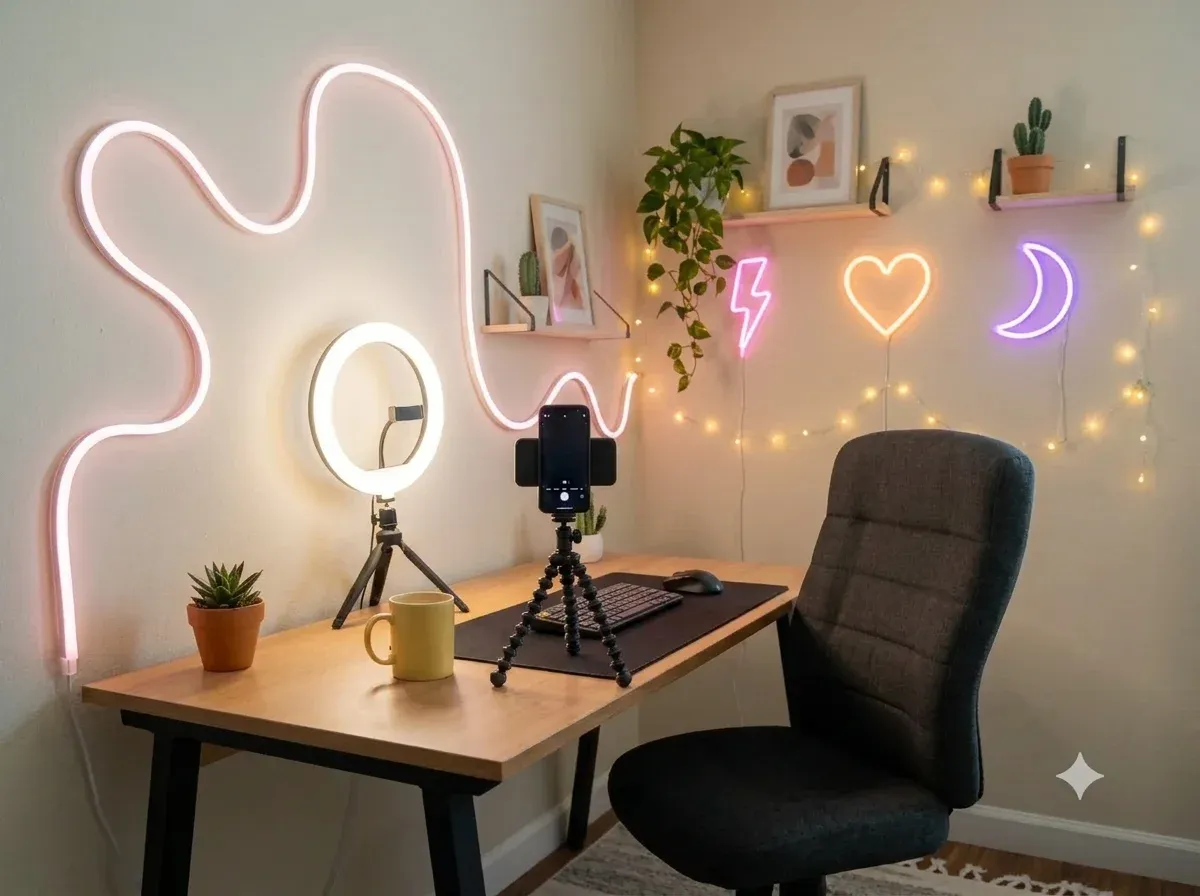
3. Check Lighting and Camera (Simple Beats Fancy)
Good lighting matters more than camera quality. Natural light is often enough if you’re near a window.
Before you go live:
- Face the light source rather than sitting with it behind you
- Avoid harsh overhead lighting that creates shadows
- If you use a ring light, set the brightness to medium to avoid glare on skin
- Clean your camera lens
- Do a quick test to check framing
If you’re streaming from your phone, that’s completely fine. Many Tango creators do. What matters is that viewers can see you clearly and comfortably.
4. Set the Right Stream Type and a Clear Title
On Tango, viewers decide quickly whether to join a stream. Your stream type and title help them understand what to expect.
Before going live:
- Select the correct stream type (Live, Audio, Party, Battle, Premium, etc.)
- Write a short, clear stream title.
- Avoid vague titles like “Live” or “Hey”
- Use a verb where you can (chat, play, learn, sing) so people know what is happening
A good title doesn’t need to be clever. It needs to be clear. For example:
- “Chill chat & music”
- “Late-night talk”
- “Q&A and requests”
Clarity helps the right viewers find you and stay.
5. Enable Interaction: Chat, Gifts, and Stream Goals
Interaction is at the heart of Tango. Before you go live, make sure viewers can participate easily.
Quick checks:
- Chat is visible and easy for you to follow
- Gifts are enabled so viewers can send Coins
- A simple stream goal is set (optional but helpful). For example, “10 gifts = a song request.” It motivates engagement without pressure
Coins sent by viewers convert into Diamonds, which creators can later redeem. You don’t need to push gifting; just make sure it’s enabled so support is possible.
Stream goals don’t have to be ambitious. Even a small goal gives viewers a reason to interact early in the stream.
6. Decide How You’ll Start the Stream
The first minute sets the tone.
Instead of going live and waiting silently:
- Greet viewers as names appear
- Introduce yourself briefly
- Say what the stream is about
For example:
“Hey everyone, welcome in! I’m just hanging out and chatting tonight, feel free to say hi.”
Most first streams feel awkward. Preparation doesn’t remove nerves, but it removes distractions so you can focus on connection.
Pro tip: keep your intro under 20 seconds. Most viewers decide to stay or swipe in that time.
7. Review Privacy and Safety Settings
Before starting a stream, make sure your privacy settings match your comfort level and that your stream plans fit within the Tango Community Guidelines.
Check:
- Who can message you
- Who can send gifts or requests
- Whether your stream is public or limited
These settings can be adjusted anytime. There’s no single “correct” setup, only what feels safe and sustainable for you. Before a public event or a collab, double-check your gift permissions so you are not fielding spam requests mid-stream.
8. Prepare Light Engagement (Not a Script)
You don’t need a script, but having a few ideas ready helps avoid long, quiet moments.
Examples:
- A question to ask new viewers
- A topic you enjoy talking about
- A simple activity (music requests, Q&A, casual chat)
Think direction, not structure. Viewers come for interaction, not performance. Keep a sticky note nearby with three topics you can fall back on if chat slows down.
9. Promote Your Stream (Before or After)
If you use posts or Moments:
- Share shortly before going live
- Post a highlight after the stream
- Use hashtags like #TangoLive, or ones tied to your content (#MusicTango, #ChatOnTango), to reach people who do not follow you yet
This helps followers know when you’re active and encourages return visits over time.
10. Use Posts and Moments to Extend the Stream
Posts and Moments do two different jobs, and both stay on your profile.
Before: create a Post. Add a photo or clip and a short tease (up to 500 characters) so followers know a stream is coming. Keep it public, or limit it to subscribers only.
After: save a Moment. Clip the best few minutes of the stream you just finished so it sits on your profile for anyone who missed it.
Both outlive the stream itself, which is what turns a one-off viewer into someone who comes back.
Common Pre-Stream Mistakes (and How to Avoid Them)
- Going live without a title → viewers don’t know what to expect
- Starting silently → people leave before interacting
- Poor lighting despite good content → viewers disengage
- Going live with no quick preview → issues you could have caught in 10 seconds
- No clear interaction → chat stays quiet
These aren’t failures, they’re normal learning moments. Previewing your stream privately for 10 seconds catches most of them before anyone else sees them.
You Don’t Need to Do Everything at Once
One of the biggest mistakes new creators make is trying to get everything perfect before their first stream.
You don’t need:
- Professional gear
- Advanced features
- A large following
- You do need:
- A clear setup
- A welcoming start
- Space to improve over time
- A reason to come back to this checklist; even long-standing creators revisit the basics, because improvement beats perfection
Consistency beats perfection on Tango
Final Check Before You Go Live
Before tapping “Go Live”, ask yourself:
- Can people see and hear me clearly?
- Is it easy for viewers to interact?
- Do I feel comfortable staying live?
If the answer is yes, you’re ready. One last thing: smile before you tap Go Live. Energy carries through the screen instantly.
The best Tango streams don’t come from flawless setups; they come from creators who show up, connect, and keep going.
Your Questions, Answered Before You Go Live
What do I need before going live on Tango?
A phone, a stable surface to prop it on, decent light, and a complete profile with gifts enabled. You do not need a ring light, an external microphone, or a camera. Most creators stream from a bedroom, a living room, or a quiet corner using the phone they already own.
How long should my first stream be?
Plan for at least 30 minutes so viewers arriving late still get something, but end when your energy drops rather than pushing through. Streaming regularly matters more than the length of any single session.
What should I call my stream?
Something short and clear that says what is happening. Use a verb where you can, like chat, play, learn, or sing. "Chill chat & music" works. "Live" or "Hey" does not, because it tells viewers nothing about why they should stay.
Do I have to accept gifts to stream on Tango?
No, but leave gifts enabled so viewers who want to support you can. Coins sent by viewers convert into Diamonds, and the Help Center explains what your Diamonds are worth.
What is the difference between a Post and a Moment?
A Post is something you publish to your profile, up to 500 characters with a photo or clip, usually to tell followers a stream is coming. A Moment is a saved section of a stream you have already finished. Both stay on your profile after the stream ends.
How do I keep my stream safe?
Check your privacy settings before you go live: who can message you, who can send gifts or requests, and whether the stream is public or limited. Keep what you plan to do within the Tango Community Guidelines, linked above.
Your first stream does not have to be your best one. It only has to happen. Come back to this list before each session, and after a few weeks, the steps will stop feeling like a checklist and start feeling like a habit. See you live
Maybe you like
Tango Categories
It Takes U to Tango
Discover how to get more from Tango, whether you're starting a video chat, meeting new people or exploring live streams. These practical guides cover the tools, features and tips that can help you connect, interact and make the most of your experience.
You’ll also find practical guidance for creators who want to go live, engage viewers and grow their presence on Tango. Explore tips for better video chats and live streams, along with guides to viewer engagement, gifts, coins and diamonds, creator tools and building an active community.
Keep Up with Tango
Get the latest articles, product news, and community stories delivered to your inbox.